


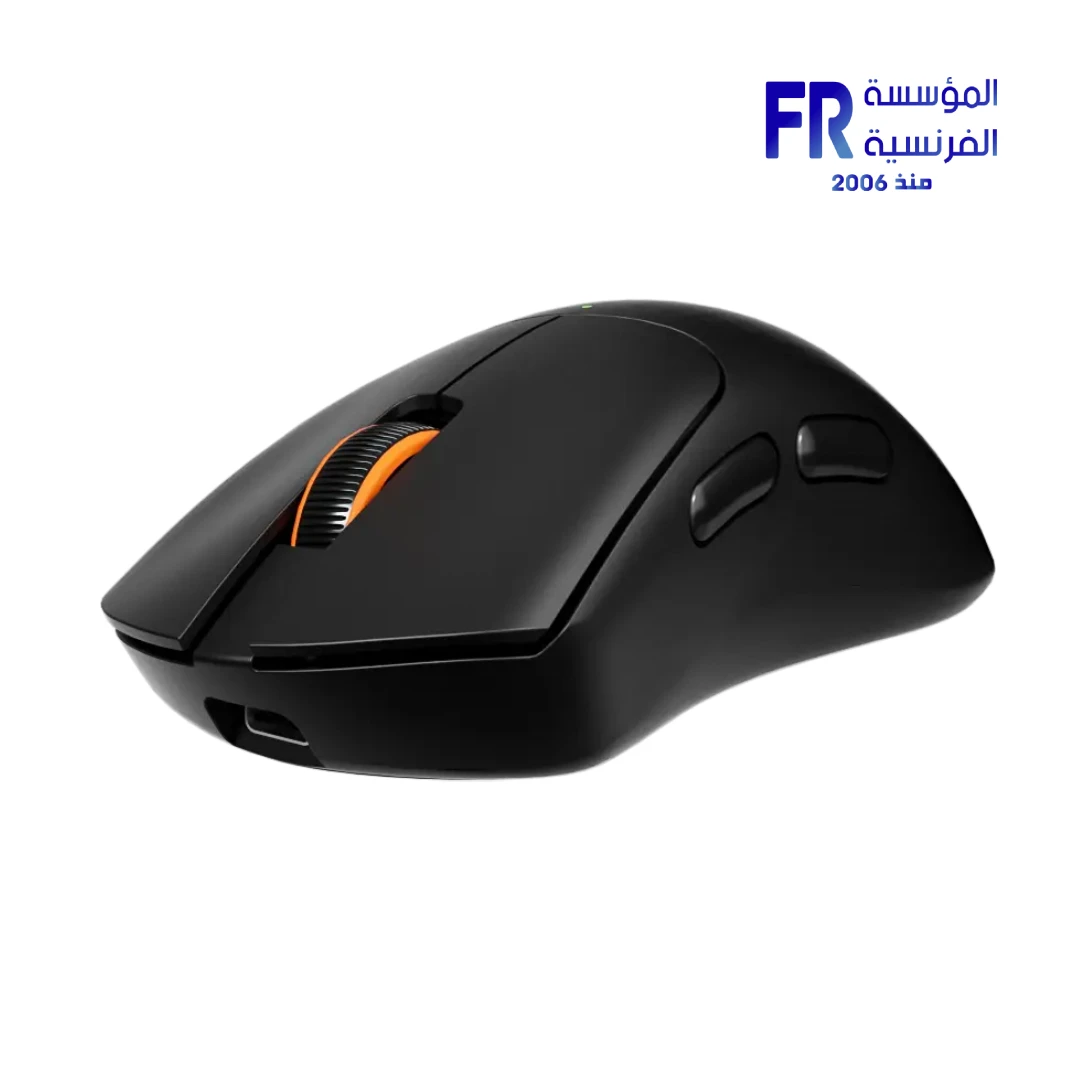



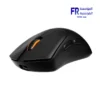
Meetion GW13 Triple Mode 65g Ultra Lightweight Rechargeable Wireless And Bluetooth Mouse
650 EGP
- Model Name: Meetion GW13
- Part Number: GW13
- Connectivity: Triple Mode (Wired USB + 2.4GHz + Bluetooth)
- Sensor & DPI: 6 Adjustable DPI Levels (800 to 12800), 125Hz – 1000Hz Polling Rate
- Buttons & Switch: 6 Buttons, Silent Clicks, 8 Million Click Lifespan
- Battery & Design: 500mAh Rechargeable Battery (40H Runtime), Type-C Charging, Ultra-Lightweight (65g), Ergonomic Palm-Fit Shape
- Compatibility: Windows, MacOS
- Warranty: 2 Years
In stock
Price Match Guarantee✅ Authorized Meetion Partner in Egypt | Official Local Warranty | Expert Gaming Gear Consultation Available | Business Invoices Available
Meetion GW13 Triple Mode 65g Ultra Lightweight Wireless & Bluetooth Gaming Mouse
Experience competitive-grade precision without the fatigue. The Meetion GW13 is an ultra-lightweight 65g gaming mouse engineered for fast hands and smooth tracking. Featuring tri-mode connectivity (2.4GHz, Bluetooth, and Wired USB-C), it allows seamless switching between your PC, laptop, and tablet. With an adjustable 12800 DPI sensor, a rapid 1000Hz polling rate, and whisper-quiet silent switches, this mouse delivers tournament-ready performance for esports athletes and focused productivity for office professionals.
Designed with a natural palm-fit ergonomic shape and a 500mAh rechargeable battery for 40 hours of continuous play, the Meetion GW13 is the ultimate versatile peripheral for gamers who demand speed, comfort, and multi-device flexibility.
Why Choose the Meetion GW13?
Weighing just 65 grams, the GW13 minimizes wrist strain and allows for lightning-fast flick shots and effortless gliding across your mousepad.
Switch instantly between 2.4GHz wireless, Bluetooth, and wired USB-C modes. Enjoy a 1000Hz polling rate in 2.4G/Wired modes for a lag-free 1ms response time.
Cycle through 6 adjustable DPI levels (800 to 12800) via the dedicated indicator button, ensuring pixel-perfect accuracy for both high-res monitors and low-sensitivity gaming.
The specialized silent button design reduces click noise by over 90%. The 500mAh battery provides 40 hours of gaming and recharges fully in just 2 hours via Type-C.
Ideal For Your Workflow
- 🎯 Competitive FPS Gamers: The 65g lightweight build and 1000Hz polling rate ensure your flick shots and tracking are instantaneous and fatigue-free during long sessions.
- 💼 Office & Library Users: The whisper-quiet silent switches allow you to work or study in shared environments without the distracting click-clack of standard mice.
- 💻 Multi-Device Professionals: Seamlessly pair with your Windows desktop via 2.4GHz and your MacBook or iPad via Bluetooth, switching channels with a single button press.
- 🎒 Digital Nomads & Travelers: The compact 120x65x40mm footprint and long 40-hour battery life make it the perfect travel companion for work on the go.
Meetion GW13 vs. Standard Wireless Gaming Mice
| Feature | Meetion GW13 (Ultra-Lightweight) | Standard Wireless Gaming Mouse |
|---|---|---|
| Weight | 65g (Ultra-Lightweight) | 90g – 120g+ (Heavy) |
| Connectivity | Tri-Mode (2.4G + BT + Wired Type-C) | Single 2.4GHz USB Dongle |
| Acoustic Profile | Whisper-Quiet Silent Switches | Standard Loud Clicks |
| Charging Interface | Modern USB Type-C (2H Fast Charge) | Micro-USB or Proprietary |
Technical Specifications
| Model Name | GW13 |
| Brand | Meetion |
| Weight | 65g (Ultra-Lightweight) |
| Dimensions | 120 x 65 x 40 mm |
| Sensor DPI | 800 / 1600 / 2400 / 3200 / 6400 / 12800 |
| Polling Rate | 125Hz – 1000Hz |
| Buttons | 6 Programmable Buttons (Silent) |
| Switch Lifespan | 8 Million Clicks |
| Connectivity | Tri-Mode (2.4GHz Wireless + Bluetooth + Wired USB-C) |
| Transmission Distance | Up to 10 Meters |
| Battery | 500mAh Built-in Rechargeable |
| Battery Life & Charging | ~40 Hours Working Time | ~2 Hours Charge Time (Type-C) |
| Supported Systems | Windows (XP/7/8/10/11, Vista), MacOS |
| Warranty | 2 Years Local Warranty |
💡 Pro Tip: Optimizing for Competitive Gaming
To achieve the absolute lowest latency for competitive FPS titles, always use the 2.4GHz USB dongle or the wired USB-C connection. While Bluetooth is incredibly convenient for office work and saving battery, the 2.4GHz mode fully supports the 1000Hz polling rate, ensuring your 12800 DPI sensor reports every micro-movement to your PC with zero perceptible delay.
Frequently Asked Questions
Are the clicks really silent?
Yes, the GW13 features specialized silent switches that reduce click noise by over 90% compared to standard mechanical gaming mice. It is perfect for late-night gaming sessions or quiet office environments.
Can I use the mouse while it is charging?
Yes, the GW13 supports pass-through wired usage. When you plug in the Type-C cable to charge the 500mAh battery, the mouse automatically operates in wired mode, allowing you to continue gaming or working without interruption.
How do I switch between my PC and my tablet?
The mouse features dedicated mode-switching buttons. You can pair Channel 1 to your PC via the 2.4GHz dongle, and Channel 2 to your tablet via Bluetooth. Simply press the mode button to toggle between devices instantly.
Need help choosing the right gaming mouse?
Speak with our peripheral specialists for sensor recommendations, ergonomic advice, and multi-device setup guidance.
| MODEL | |
|---|---|
| Connection | |
| SENSOR TYPE | |
| DPI | |
| lifecycle | |
| Cable Length | |
| BATTERY LIFE | |
| Wireless Range | |
| Acceleration | |
| Buttons | |
| Color | |
| Part Number | |
| Warranty |
Only logged in customers who have purchased this product may leave a review.
Reviews
There are no reviews yet.