✅ Authorized Rapoo Partner in Egypt | Official Warranty Coverage | Expert PC Building Consultation Available
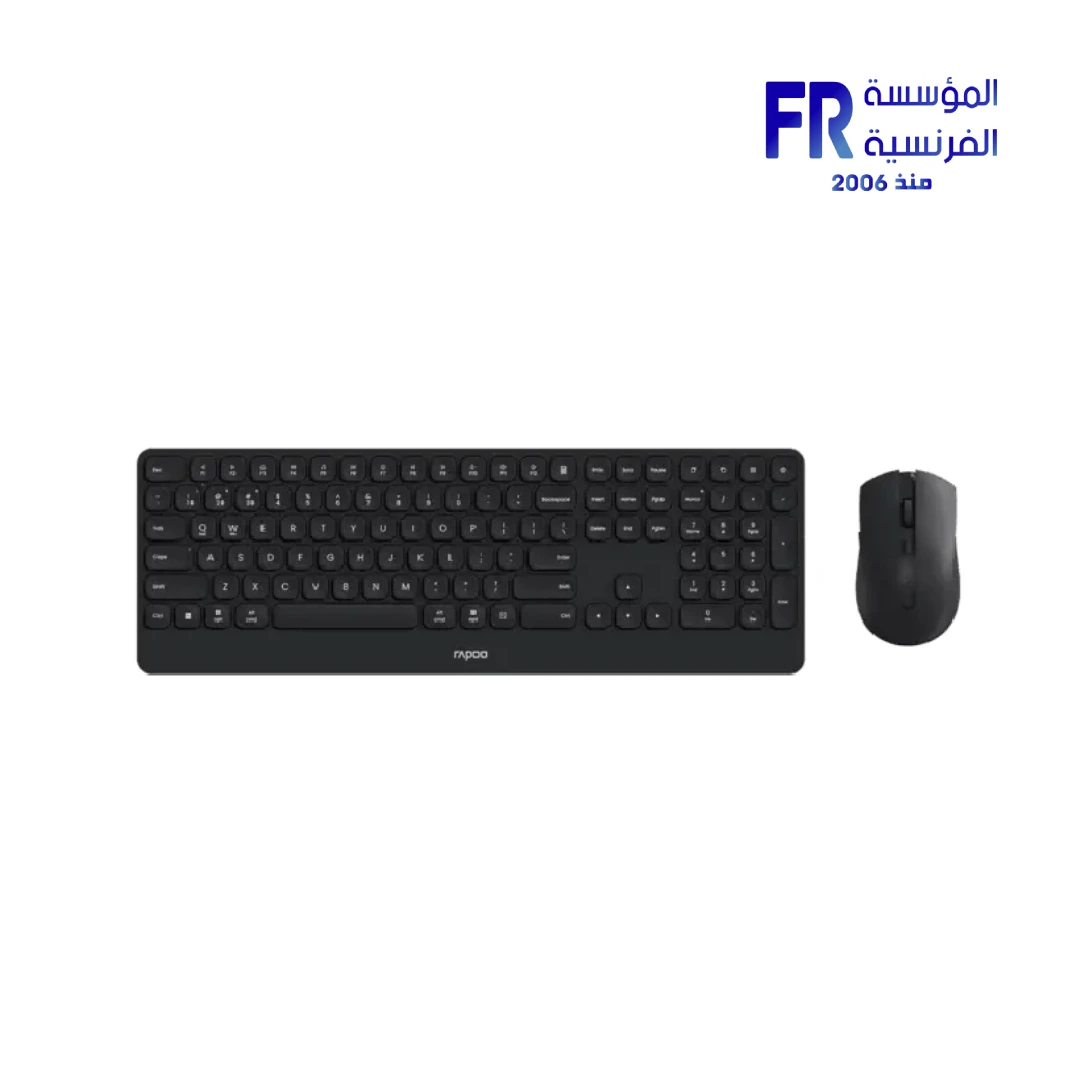
Rapoo 9510M Ultra Slim Multi Mode Gray Wireless Keyboard And Mouse Combo
Rapoo 9510M is a multi-mode wireless keyboard and mouse combo with Bluetooth 5.0/4.0 and 2.4GHz connectivity. The combo includes a full-size 105-key keyboard with multimedia hotkeys and an ergonomic optical mouse with adjustable 800-2400 DPI. Because it supports up to 2 devices and includes a nano USB receiver, you can switch between a desktop and a laptop without re-pairing. In addition, the combo offers up to 12-month battery life and works with Windows, macOS, iOS, Android, and ChromeOS. Available at Alfrensia for 1,990 EGP.
⚡ Engineering Highlights at a Glance:
- Multi-Mode Wireless Connectivity: Bluetooth 5.0/4.0 plus 2.4GHz wireless via the included nano USB receiver.
- Multi-Device Support: Pair with up to 2 devices and switch between them without re-pairing.
- Full-Size 105-Key Keyboard: Includes a numeric keypad and multimedia hotkeys for productivity and media control.
- Ergonomic Optical Mouse: Adjustable 800-2400 DPI with a shape that supports long sessions.
- Nano USB Receiver: Low-profile receiver stays in the USB port and can be stored inside the mouse when not in use.
- Up to 12-Month Battery Life: Reduces the need for frequent battery changes under normal use.
- Wide Compatibility: Works with Windows, macOS, iOS, Android, and ChromeOS.
Multi-Mode Connectivity
The Rapoo 9510M supports Bluetooth 5.0/4.0 and 2.4GHz wireless through the included nano USB receiver. Because it supports both, you can connect the combo to a Bluetooth device such as a laptop or tablet, and separately connect a second device through the USB receiver. This flexibility makes the combo suitable for users who work across multiple devices, such as a desktop and a laptop, or a laptop and a tablet. Switching between paired devices is quick and does not require re-pairing.
Full-Size Keyboard with Multimedia Hotkeys
The keyboard uses a full-size 105-key layout with a numeric keypad, arrow keys, and function row. Because the layout is full-size, it suits data entry, programming, and office work. In addition, multimedia hotkeys give quick access to volume, media playback, and other common functions. The ultra-slim design keeps the keyboard low-profile, which reduces wrist angle during typing and fits neatly on most desks.
Ergonomic Mouse with Adjustable DPI
The bundled mouse is an ergonomic optical mouse with adjustable DPI from 800 to 2400. Because you can change DPI on the fly, you can use lower sensitivity for precision work and higher sensitivity for navigating large displays. The mouse shape supports a natural hand position, which reduces strain during long sessions. The nano USB receiver can be stored inside the mouse for transport, which lowers the risk of losing it.
Who is the Rapoo 9510M For?
Expert Advice & Build Considerations
Pairing and Switching Devices
To connect via Bluetooth, put the keyboard or mouse in pairing mode and add it from your device’s Bluetooth menu. To connect via 2.4GHz, plug in the nano USB receiver and turn on the device. When you want to switch between the two paired devices, use the connection switch on the keyboard or mouse. Because the combo supports only 2 devices, plan which devices you want to pair before setup.
Battery Life and Charging
Battery life is rated up to 12 months, but actual runtime depends on usage and whether the keyboard and mouse use power-saving features. Turn off the devices when not in use for extended periods to extend battery life. Replace batteries with the type specified in the user manual. Do not mix old and new batteries or different battery types.
📐 Setup and Ergonomics
Place the keyboard and mouse on a flat surface with enough room for both. Because the keyboard is ultra-slim, it sits lower than a mechanical keyboard, which may require a slight change in typing posture. The mouse is designed for right-handed use with an ergonomic curve. Clean the keyboard and mouse periodically with a dry cloth to prevent dust buildup, which can affect key and sensor performance.
Technical Specifications
| Model | Rapoo 9510M |
| Brand | Rapoo |
| SKU / MPN | 9150M |
| EAN | 6940056133076 |
| Product Type | Wireless Keyboard and Mouse Combo |
| Connectivity | Bluetooth 5.0/4.0 + 2.4GHz Wireless |
| Multi-Device Support | Up to 2 Devices |
| Keyboard Layout | Full-Size 105-Key |
| Keyboard Features | Multimedia Hotkeys |
| Mouse Type | Ergonomic Optical Mouse |
| Mouse DPI | 800-2400 DPI (Adjustable) |
| Receiver | Nano USB Receiver |
| Battery Life | Up to 12 Months |
| Color | Gray |
| Compatibility | Windows, macOS, iOS, Android, ChromeOS |
Expert Recommendation: Getting the Most from Your Rapoo 9510M
Before pairing, decide which two devices you want to use with the combo. Pair one via Bluetooth and connect the other via the 2.4GHz nano USB receiver, or pair both via Bluetooth if your devices support it. Use the connection switch to move between them without re-pairing. For mouse DPI, start at 1200 for general desktop use and increase to 1600 or 2400 for larger displays or faster navigation. Because the keyboard is ultra-slim, a wrist rest may improve comfort during long typing sessions. Turn off the keyboard and mouse when you will not use them for an extended period to maximize battery life. Replace batteries with the type specified in the user manual, and avoid mixing old and new batteries. Clean the keyboard with a dry cloth and the mouse sensor area with a soft brush or compressed air to maintain tracking accuracy.
Frequently Asked Questions
How many devices can I connect at the same time?
The Rapoo 9510M supports up to 2 devices. You can pair one device via Bluetooth and another via the 2.4GHz nano USB receiver, or pair both via Bluetooth if your devices support it. Use the connection switch on the keyboard or mouse to move between devices.
Does the combo come with a USB receiver?
Yes. The combo includes a nano USB receiver for 2.4GHz wireless connectivity. The receiver can be stored inside the mouse when not in use.
How long do the batteries last?
Battery life is rated up to 12 months under typical use. Actual runtime depends on usage and power-saving features. Turn off the keyboard and mouse when not in use to extend battery life.
What is the maximum DPI of the mouse?
The included mouse has adjustable DPI from 800 to 2400. You can change DPI using the DPI button on the mouse. Lower DPI is better for precision, and higher DPI is better for fast navigation across large screens.
Is the combo compatible with Mac and Android?
Yes. The Rapoo 9510M works with Windows, macOS, iOS, Android, and ChromeOS. Because it supports Bluetooth and 2.4GHz, you can use it with laptops, desktops, tablets, and phones that support those connection types.


Reviews
There are no reviews yet.