


ALFRENSIA · PC BUILDER GUIDE
Three Gaming PC Builds for Different Budgets
Planning a new gaming PC? Here are three tiered configurations built around components currently listed in the Alfrensia store, from a sensible 1080p starting point to a high-performance GPU-focused build.
Important: these are suggested component lists, not pre-assembled SKUs or measured game benchmarks. Inventory and prices were checked against the live WooCommerce catalogue while preparing this draft and can change. Each CPU is sold as a Tray part, so a separate cooler is included in each configuration. Totals do not include a monitor, keyboard, mouse, headset, Windows licence, assembly fee or delivery.
How to choose the right build
For a balanced gaming PC, choose the graphics card around your monitor’s resolution first, then match the CPU, memory, storage, power supply and case. A stronger GPU does not automatically guarantee a specific frame rate: the game, graphics settings, resolution, drivers and cooling all affect real performance.
For help choosing individual parts, read Alfrensia’s guides to GPU VRAM, DDR4 vs DDR5 memory and motherboard compatibility.
Want to configure your own parts list? Use the Alfrensia PC Builder to plan a custom system, then verify every component is compatible before ordering.
Three suggested PC builds from the live catalogue
TIER 01 · ENTRY
1080p Starter Build
Designed as a budget-conscious starting point for 1080p gaming.
- CPU: AMD Ryzen 5 7500F Tray — EGP 7,319
- Motherboard: ASUS Prime B650M-K — EGP 5,518
- GPU: Sapphire Pulse Radeon RX 9060 XT 8 GB — EGP 25,738
- RAM: KLEVV Fit V 16 GB DDR5 — EGP 14,038
- SSD: KLEVV CRAS C715 1 TB NVMe — EGP 6,478
- Case + PSU: Xigmatek Crystal Storm V2 + 750 W PSU — EGP 5,095
- CPU cooler: Gamdias Boreas E1 410 ARGB — EGP 1,328
Check this buildCatalogue stock at drafting: CPU 6 · motherboard 18 · GPU 2 · RAM 24 · SSD 92 · case/PSU 46 · cooler 3.
TIER 02 · BALANCED
Balanced Gaming Build
A stronger middle tier with a 16 GB graphics card.
- CPU: AMD Ryzen 5 7500F Tray — EGP 7,319
- Motherboard: Gigabyte B650M Gaming WiFi — EGP 6,788
- GPU: Sapphire Pulse Radeon RX 9060 XT 16 GB — EGP 32,168
- RAM: KLEVV Fit V Ultimate 32 GB DDR5-6000 — EGP 27,458
- SSD: WD Blue SN5100 1 TB NVMe — EGP 7,798
- Case + PSU: Xigmatek Crystal Storm V2 + 750 W PSU — EGP 5,095
- CPU cooler: Gamdias Boreas M1-620 — EGP 1,908
Check this buildCatalogue stock at drafting: CPU 6 · motherboard 5 · GPU 14 · RAM 27 · SSD 57 · case/PSU 46 · cooler 3.
TIER 03 · HIGH-END
High-End Gaming Build
For buyers prioritising a high-tier GPU and stronger CPU.
- CPU: AMD Ryzen 7 7800X3D Tray — EGP 16,318
- Motherboard: MSI MAG B850 Gaming Plus Max WiFi — EGP 12,728
- GPU: Palit GeForce RTX 5070 Ti GamingPro S OC 16 GB — EGP 73,118
- RAM: KLEVV Fit V Ultimate 32 GB DDR5-6000 — EGP 27,458
- SSD: WD Blue SN5100 1 TB NVMe — EGP 7,798
- Case + PSU: Xigmatek Crystal Storm V2 + 850 W PSU — EGP 5,692
- CPU cooler: Gamdias Boreas P2-62D — EGP 2,708
Check this buildCatalogue stock at drafting: CPU 3 · motherboard 3 · GPU 8 · RAM 27 · SSD 57 · case/PSU 18 · cooler 5.
What is included in each estimated total?
| Tier | Estimated component total | Best fit | What is not included |
|---|---|---|---|
| Entry | EGP 65,514 | Value-focused 1080p setup | Monitor, peripherals, OS, delivery and assembly |
| Balanced | EGP 88,534 | More memory and 16 GB GPU tier | Monitor, peripherals, OS, delivery and assembly |
| High-end | EGP 145,820 | High-tier gaming GPU and CPU | Monitor, peripherals, OS, delivery and assembly |
These figures are sums of the catalogue prices listed above, not final checkout quotes. The first build uses one 16 GB memory module because a suitable lower-cost in-stock kit was not found in this pass; moving to a matched 2×16 GB kit is a sensible upgrade to discuss with sales. Each CPU is a Tray part, so confirm warranty terms and cooler compatibility before ordering.
Compatibility checklist before checkout
- Motherboard and CPU: all three proposed CPUs are AM5 parts and the listed boards are AM5/DDR5, but confirm BIOS compatibility and the board’s support list.
- RAM: select a matched kit if possible and check the memory kit against the board’s QVL; rated speed may require enabling the supported memory profile in BIOS.
- GPU clearance: confirm the exact card dimensions against the case clearance and ensure the card’s power connectors fit without cable strain.
- Power: verify the PSU’s exact model, native connectors and manufacturer recommendations for the selected GPU. The case/PSU combination is treated as a single listed product, not two separate purchases.
- CPU cooling: confirm the cooler includes AM5 mounting hardware and fits case height limits.
- Storage: install the SSD in a compatible M.2 slot; 1 TB can fill quickly with several large games.
- Final stock and pricing: confirm before payment; quantities shown are catalogue results observed during drafting, not a reservation.
More component guides: SSD capacity, DisplayPort vs HDMI and how to choose a UPS.
Frequently asked questions
Can I order these builds exactly as shown?
Use them as starting configurations and have Alfrensia confirm current inventory, final prices, BIOS, clearance and power connections before checkout.
Does the price include Windows or a monitor?
No. Totals include only the listed parts. Monitor, peripherals, operating system, assembly and delivery are excluded.
Why choose 32 GB RAM?
It gives a more flexible starting point for current games and multitasking. The entry build uses 16 GB to keep the initial component total lower, and can be upgraded.
Will the high-end build deliver a specific FPS?
No FPS number is promised here. Actual results depend on the game, resolution, quality settings, drivers, cooling and the rest of the system.
Need a build tailored to your budget?
Tell us your budget, monitor resolution and the games or applications you use. The team at المؤسسة الفرنسية للكمبيوتر can help confirm stock and compatibility before you order.
Official component showcase: graphics-card examples
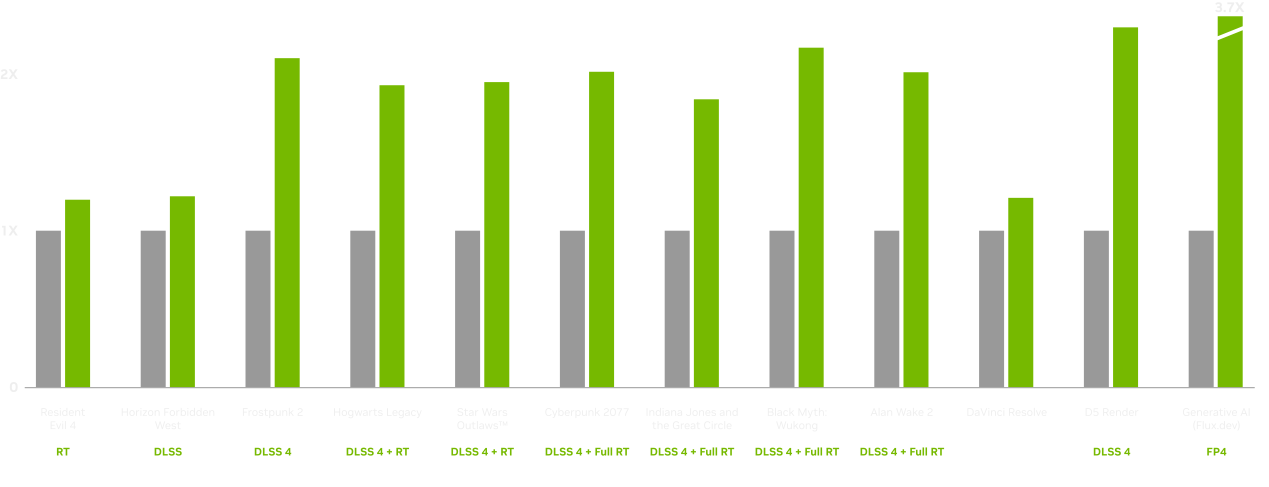
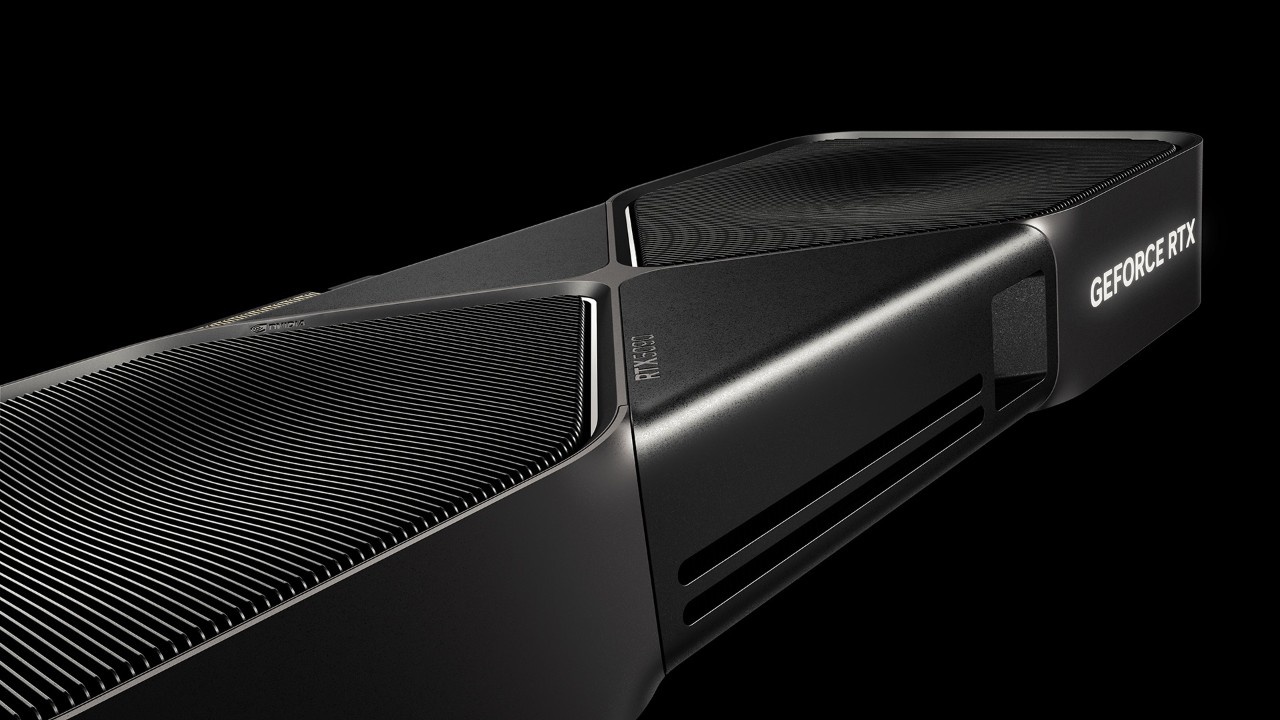
Source confidence: These official NVIDIA visuals are GPU references, not images of the exact complete builds or proof of local availability. Source / announcement ↗
المؤسسة الفرنسية للكمبيوتر · دليل تجميعات الكمبيوتر
٣ تجميعات Gaming PC لميزانيات مختلفة
بتخطط تجهّز كمبيوتر للألعاب؟ جمعنالك ٣ مستويات مختلفة من مكونات معروضة في كتالوج المؤسسة الفرنسية للكمبيوتر، من تجميعة مناسبة كبداية لألعاب 1080p لحد تجميعة أقوى بتركيز أكبر على كارت الشاشة.
مهم قبل الشراء: التجميعات دي اقتراحات لمكونات، مش أجهزة مجمعة برقم منتج واحد، ومش نتائج اختبارات أداء فعلية للألعاب. الأسعار والمخزون اتراجعوا وقت إعداد المقال وممكن يتغيروا. كل معالج في القوائم من فئة Tray، علشان كده أضفنا مبرد منفصل لكل تجميعة. الإجمالي لا يشمل الشاشة أو الكيبورد أو الماوس أو السماعة أو ترخيص Windows أو تكلفة التجميع أو الشحن.
إزاي تختار التجميعة المناسبة؟
في تجميعة متوازنة للألعاب، ابدأ بتحديد كارت الشاشة حسب دقة الشاشة المستهدفة، وبعدها اختار المعالج والرام والتخزين ومزود الطاقة والكيسة بشكل متوافق. كارت شاشة أقوى مش معناه تلقائيًا عدد إطارات ثابت؛ اللعبة والإعدادات والدقة والتعريفات والتبريد كلهم بيأثروا على الأداء الفعلي.
لمعلومات إضافية، راجع دليل ذاكرة VRAM في كروت الشاشة، ومقارنة DDR4 وDDR5، ودليل توافق المعالج واللوحة الأم.
٣ تجميعات مقترحة من الكتالوج
الفئة ٠١ · بداية اقتصادية
تجميعة بداية لألعاب 1080p
اختيار مبدئي بميزانية أقل نسبيًا لألعاب 1080p.
- المعالج: AMD Ryzen 5 7500F Tray — 7,319 جنيه
- اللوحة الأم: ASUS Prime B650M-K — 5,518 جنيه
- كارت الشاشة: Sapphire Pulse Radeon RX 9060 XT 8GB — 25,738 جنيه
- الرام: KLEVV Fit V 16GB DDR5 — 14,038 جنيه
- SSD: KLEVV CRAS C715 1TB NVMe — 6,478 جنيه
- الكيسة ومزود الطاقة: Xigmatek Crystal Storm V2 + 750W PSU — 5,095 جنيه
- مبرد المعالج: Gamdias Boreas E1 410 ARGB — 1,328 جنيه
استفسر عن التجميعةالمخزون وقت إعداد المقال: المعالج 6 · اللوحة 18 · كارت الشاشة 2 · الرام 24 · SSD عدد 92 · الكيسة/مزود الطاقة 46 · المبرد 3.
الفئة ٠٢ · متوازنة
تجميعة ألعاب متوازنة
مستوى متوسط أقوى مع كارت شاشة بذاكرة 16GB.
- المعالج: AMD Ryzen 5 7500F Tray — 7,319 جنيه
- اللوحة الأم: Gigabyte B650M Gaming WiFi — 6,788 جنيه
- كارت الشاشة: Sapphire Pulse Radeon RX 9060 XT 16GB — 32,168 جنيه
- الرام: KLEVV Fit V Ultimate 32GB DDR5-6000 — 27,458 جنيه
- SSD: WD Blue SN5100 1TB NVMe — 7,798 جنيه
- الكيسة ومزود الطاقة: Xigmatek Crystal Storm V2 + 750W PSU — 5,095 جنيه
- مبرد المعالج: Gamdias Boreas M1-620 — 1,908 جنيه
استفسر عن التجميعةالمخزون وقت إعداد المقال: المعالج 6 · اللوحة 5 · كارت الشاشة 14 · الرام 27 · SSD عدد 57 · الكيسة/مزود الطاقة 46 · المبرد 3.
الفئة ٠٣ · أداء مرتفع
تجميعة ألعاب High-End
للي محتاج كارت شاشة من فئة أعلى ومعالج أقوى.
- المعالج: AMD Ryzen 7 7800X3D Tray — 16,318 جنيه
- اللوحة الأم: MSI MAG B850 Gaming Plus Max WiFi — 12,728 جنيه
- كارت الشاشة: Palit GeForce RTX 5070 Ti GamingPro S OC 16GB — 73,118 جنيه
- الرام: KLEVV Fit V Ultimate 32GB DDR5-6000 — 27,458 جنيه
- SSD: WD Blue SN5100 1TB NVMe — 7,798 جنيه
- الكيسة ومزود الطاقة: Xigmatek Crystal Storm V2 + 850W PSU — 5,692 جنيه
استفسر عن التجميعةالمخزون والأسعار قابلان للتغيير؛ راجع صفحة كل منتج قبل الطلب. راجع توافق المبرد مع المعالج قبل إتمام التجميعة.
إيه اللي داخل في الإجمالي؟
الإجمالي المعروض هو مجموع المكونات المذكورة في كل قائمة وقت إعداد المقال. قبل الشراء، افتح صفحات المنتجات علشان تتأكد من السعر الحالي، والمخزون، والضمان، ومحتويات العبوة. الأسعار والمخزون مش ثابتين.
قائمة مراجعة التوافق قبل الدفع
- تأكد إن المعالج واللوحة الأم متوافقان مع نفس المقبس والجيل.
- راجع نوع الرام المدعوم، وعدد الشرائح، والسرعة والتوافق مع اللوحة.
- تأكد إن طول وسمك كارت الشاشة مناسبين للكيسة، وإن فيه مساحة للكابلات وتدفق هواء كافي.
- راجع قدرة مزود الطاقة وجودته والتوصيلات المطلوبة لكارت الشاشة.
- تأكد من توافق المبرد مع المقبس وارتفاعه ومساحة الرامات والكيسة.
- حدد مساحة التخزين المناسبة للألعاب والبرامج، واحتفظ بهامش للملفات والتحديثات.
- أضف تكلفة الشاشة والملحقات ونظام التشغيل والتجميع والشحن لو محتاجها.
الأسئلة الشائعة
هل التجميعات دي أجهزة جاهزة للطلب بنفس الإجمالي؟
لأ، دي قوائم مكونات مقترحة، والسعر النهائي بيتحدد حسب الأسعار والمخزون وقت الطلب، وأي خدمات إضافية تختارها.
هل التجميعة الأولى مناسبة لكل ألعاب 1080p؟
الأداء بيختلف حسب اللعبة والإعدادات والتعريفات وباقي مكونات الجهاز. راجع اختبارات مستقلة للعبة اللي بتلعبها قبل تحديد توقعات الأداء.
هل لازم أشتري شاشة وملحقات مع التجميعة؟
الإجماليات هنا لا تشمل الشاشة أو الكيبورد أو الماوس أو السماعة أو ترخيص Windows أو الشحن والتجميع.
أعمل إيه لو عايز تجميعة حسب ميزانيتي؟
حدد ميزانيتك، ودقة الشاشة، والألعاب أو البرامج اللي بتستخدمها، وفريق المؤسسة الفرنسية للكمبيوتر يقدر يساعدك تراجع التوافق وتوافر القطع قبل الطلب.
محتاج تجميعة مناسبة لاستخدامك؟
ابعتلنا ميزانيتك ودقة الشاشة والألعاب أو البرامج اللي بتستخدمها. فريق المؤسسة الفرنسية للكمبيوتر يقدر يساعدك في مراجعة التوافق وتوافر القطع قبل الطلب.
معرض المكونات الرسمي: أمثلة لكروت الشاشة
موثوقية المصدر: صور NVIDIA الرسمية دي مراجع لكروت الشاشة، وليست صورًا للتجميعات الكاملة نفسها ولا تأكيدًا للتوافر المحلي. المصدر الرسمي/المرجعي ↗
Explore more with Alfrensia
Ready to compare components for your next upgrade? Browse the Alfrensia store and check the live product page for current pricing and availability.
Keep learning: compare graphics cards and VRAM needs · shop PC components.
Follow us for more PC hardware explainers, buying guides and store updates: official Alfrensia social channels.
اكتشف المزيد مع المؤسسة الفرنسية للكمبيوتر
بتجهّز لترقية جهازك؟ تصفّح متجر المؤسسة الفرنسية للكمبيوتر وراجع صفحة المنتج للتأكد من السعر والتوافر الحاليين.
كمّل القراءة: قارن بين كروت الشاشة واحتياجات VRAM · تصفح قطع الكمبيوتر.
تابعنا لمزيد من شروحات الهاردوير وأدلة الشراء وآخر تحديثات المتجر: حسابات المؤسسة الفرنسية الرسمية على السوشيال ميديا.